Vibe Marketplace Web Applications AI & Bots Mobile Apps E-Commerce Marketing & SEO Portfolio Pricing Submit Your App
The Vibe Marketplace · A curated collection

A curated home for the apps you build.

A hand-picked shelf of tools from independent builders. We review every submission by hand — then your app gets permanent credit, a direct link, and a spot people actually visit.

100%
Reviewed by a person
Free
No fee, no equity
Yours
You keep the listing
Botly · Assistant
Hi! I'm your bot assistant 👋
Qualify this lead?
On it — booking a demo now.
 
Ask anything…
RankPilot
SEOGEOAI Search
#3
Rank
12
AI cites
↑24%
Traffic
SEO
78
GEO
61
LeadFlow · Lead Gen
1,204
Leads
↑18%
MQL→SQL
Visit
100
MQL
41
SQL
18
Won
6
FlowBoard
Todo
Design mockups
Write copy
In Progress
Build API
Done
Auth
DB schema
LedgerLite · Books
$48.2k
Revenue
+$16.5k
Net
Auto-categorizedCash flow
TaxPilot
$7,420
Est. refund
38
deducts
4/15
due
Tax prepe-file
From builders in the collection
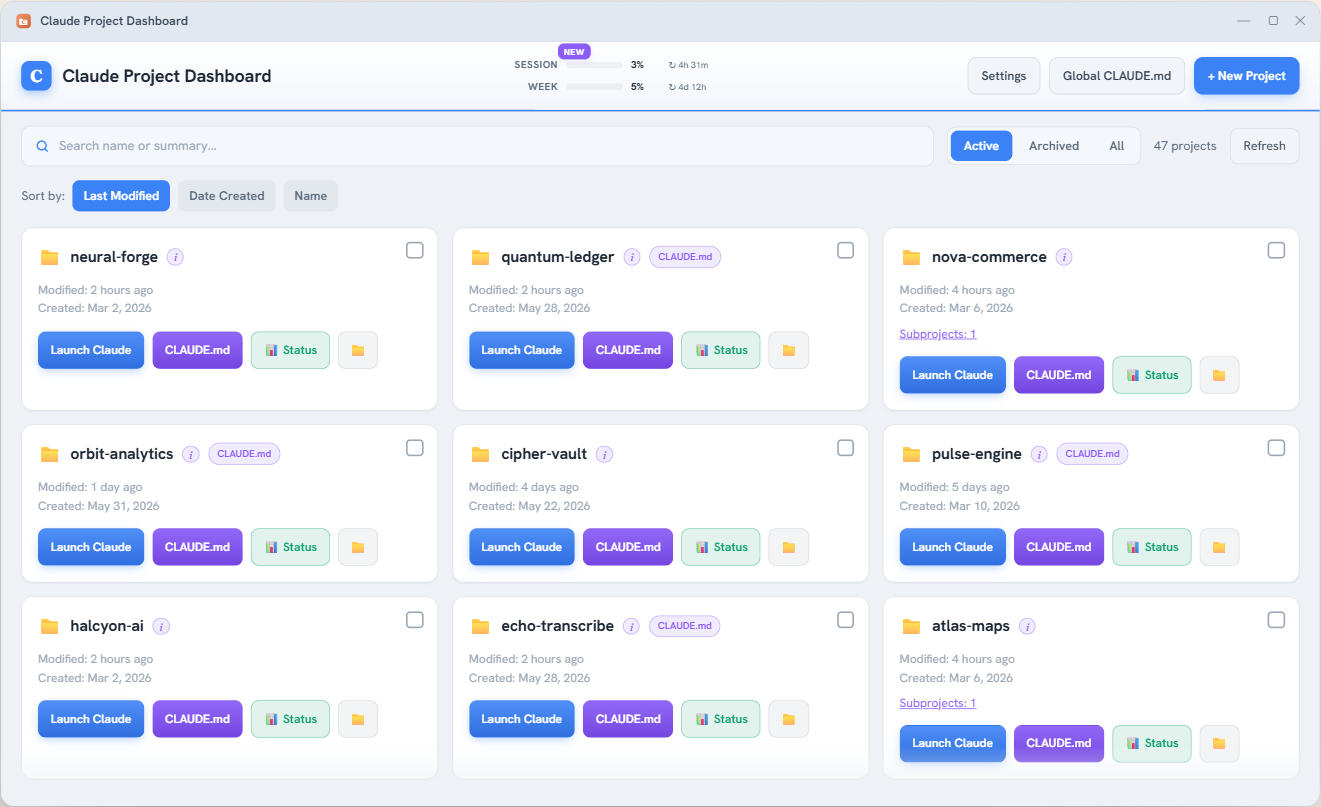
Claude Project Dashboard interface
★ Editor's Pick

Claude Project Dashboard

A calm home for everyone who builds with Claude Code.

A simple Mac and Windows app that turns your scattered project folders into clean tiles. Click one and Claude Code opens right there, in the correct folder. Now with live Claude usage bars, an optional tray meter, and one-click status reports.

Version
2.12.0
Platform
Windows & Mac
Price
Free
License
Open source
The collection

Standout builds, hand-picked.

Every app here was reviewed by a person before it earned its place. Browse by what it is, or what it's built with.

Claude Project Dashboard New
Developer Tool

Claude Project Dashboard

A home for everything you build with Claude Code — every project as a clean tile, one-click launch, and a live usage meter.

IMby Impera Business Services
ElectronClaude CodeWindowsMac
Visit →
RFP Genius Hub Featured
AI & Bots · SaaS

RFP Genius Hub

AI that writes your proposals in your voice. Upload past wins to teach it your style, then draft tailored responses from any incoming RFP.

GHby Genius Hub
AI/LLMProposalsAutomation
Featured
AI & Bots · SaaS

Compass AI

Find the AI opportunities hiding in your business. It interviews your team, watches how work flows, then ranks the projects worth doing first.

CXby CXAssessment
AI StrategyAnalyticsDiscovery
New
Developer Tool

Fancy Schmancy Zones

Lock a window layout, then flip back to it instantly with a double-tap of Ctrl. Pairs with PowerToys FancyZones and Windows Snap Layouts — replaces neither.

IMby Impera Business Services
WindowsTray AppOpen Source
Visit →
Curated pick
Developer Tool · Curated pick

Claude Code Usage Monitor

Your live Claude Code limits — the 5-hour window and the weekly cap — right in the Windows taskbar, so the wall never surprises you mid-build. We run it daily.

CZby CodeZeno · curated by Impera
WindowsRustOpen Source
Visit →
YOUR APP

Your app belongs here

Free to list · hand-reviewed · your credit

Submit your app →
Transparent stacks

No black boxes.

Every listing shows exactly what it's built with — so you can trust it, learn from it, or build on it.

Claude Next.js Supabase Vercel Electron OpenAI Tailwind Cloudflare Python React
The makers

Made by independent builders — and you.

Right now the shelf is curated by Impera. As builders submit their work, this becomes a wall of independent makers — and there's an open spot with your name on it.

IM + +
How it works

Getting listed takes three steps.

Listing is free. We keep the collection good by reviewing every submission by hand.

01

Submit your app

Send the live link, what it does, the stack you used, and your name. Two minutes.

02

We review by hand

A real person checks the link works and it's a fit. No bots, no spam, no junk.

03

You go live

Your app gets its own card — with your credit and a direct link — in the collection.

Submit

Add your app to the collection.

Free to list, reviewed by a person, usually answered within 48 hours.

  • 100% hand-reviewed — quality stays high
  • Free forever — no fee, no equity, no catch
  • Your name and credit on every listing
  • A featured spot if your build stands out

Submission received.

Thanks for submitting your app. We review every listing by hand and we'll email you once it's live. Questions? info@imperabusinessservices.com.

Please enter your app's name.
Add a valid link (starting with https://).
Please enter your name.
Please enter a valid email.
Please pick a category.
Please describe your app.

No spam. We only email you about your listing.

Employment opportunities

Companies are hiring — and they're asking us.

More and more businesses reach out to us looking for the new skills this market runs on. If you've got them, we want to know you — we'll connect you with the people who need you.

FDE

Forward Deployed Engineers

Embed with a client, learn their problems first-hand, and turn them into working software on-site. (The role Palantir made famous.)

Build

Vibe Coders

Ship fast with AI as your co-pilot. Taste, judgment, and momentum over boilerplate.

Design

Designers

Make it feel as good as it works — interfaces people actually want to use.

QA

Human Testers

Real people stress-testing real products, catching what automated checks miss.

Idea, meet builder

Have the idea, but not the build?

This is a place to find your people. Whether you just need a push from the starting line or someone to build it end to end, we'll connect you with a builder who can take you 10% — or 100% — of the way. Your idea stays yours.

Developer Tool · Free & Open Source

Claude Project Dashboard

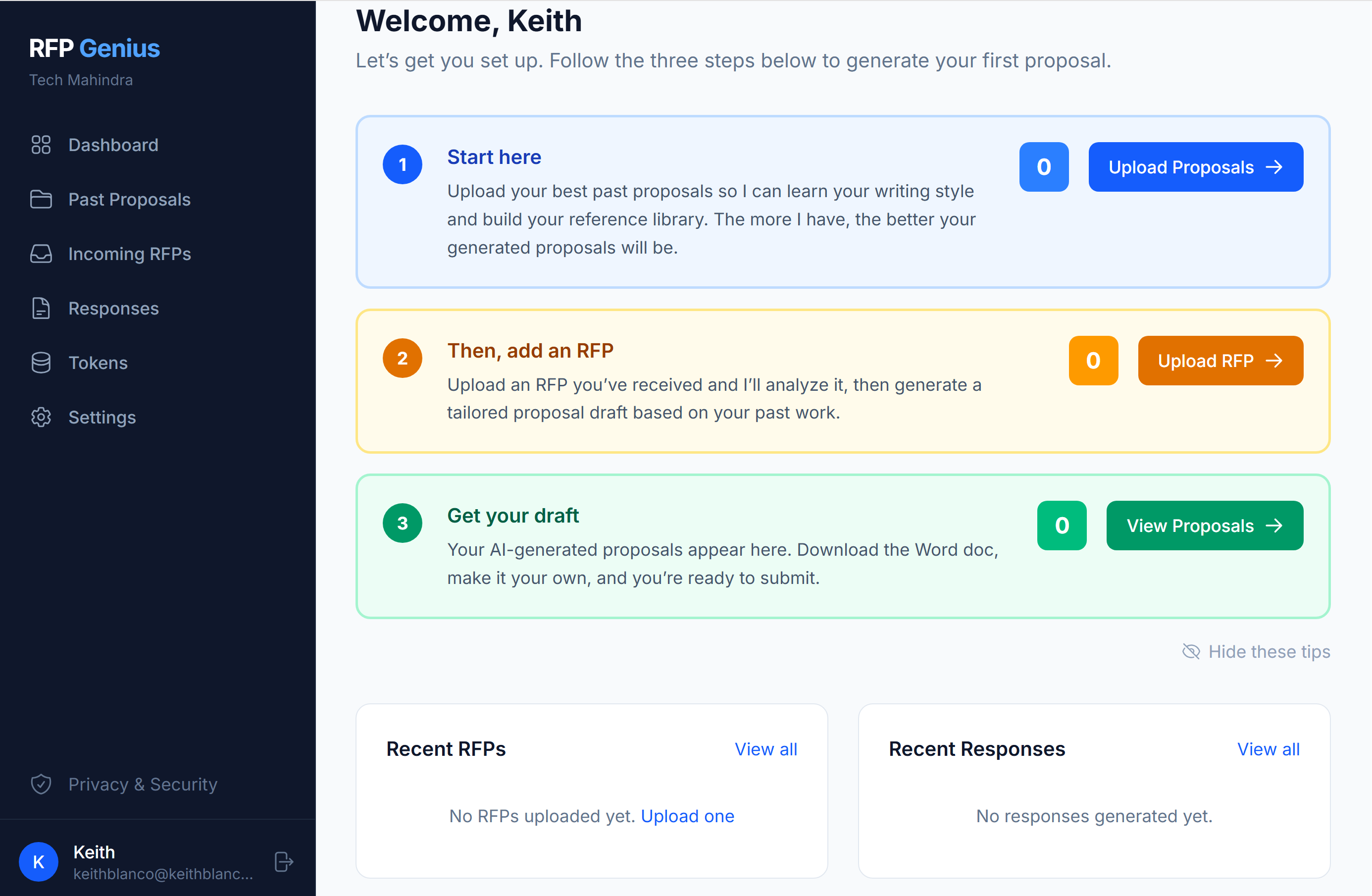
If you use Claude Code across more than one project, you know the friction: open a terminal, find the right folder, navigate in, start a session — every single time. Get the folder wrong and Claude edits the wrong project.

The Claude Project Dashboard fixes that. It's a small Mac and Windows app that shows every Claude Code project as a clean tile. Click one and Claude Code opens right there — in the correct folder, already caught up on where you left off.

What it does

  • See all your Claude Code projects as cards in one window
  • Launch Claude Code in any project with one click
  • Live Claude usage bars — Session & Week, with reset countdowns
  • Optional system-tray usage meter that runs in the background
  • One-click status reports pulled from each project's brain/ notes
  • Beeps when Claude is waiting on you, so you can multitask
AI & Bots · SaaS

RFP Genius Hub

Responding to RFPs is slow, repetitive work — and every blank page costs hours. RFP Genius Hub turns that grind into a few clicks.

Upload your past proposals and it learns your writing style and voice. When a new RFP comes in, it generates a tailored first draft that already sounds like you — ready to refine and send.

What it does

  • Learns your tone and structure from proposals you've won
  • Reads incoming RFPs and drafts tailored responses
  • Keeps your best answers in one searchable place
  • Cuts proposal turnaround from days to hours
AI & Bots · SaaS

Compass AI

Most companies know AI could help somewhere — they just don't know where to start, or which idea is worth the money. Compass AI answers that with evidence instead of guesswork.

It interviews your team, observes how work actually gets done, then identifies, validates, and prioritizes the AI and automation opportunities with the highest payoff.

What it does

  • Runs guided agent interviews to surface real pain points
  • Uses desktop analytics to see where time actually goes
  • Validates and ranks opportunities by impact and effort
  • Hands you a prioritized roadmap, not a vague promise
Developer Tool · Free & Open Source

Fancy Schmancy Zones

Arranging windows just how you like them is easy — with PowerToys FancyZones, Windows Snap Layouts, or a plain drag. Getting back to that exact arrangement later, every time, is the part nothing handles well.

Fancy Schmancy Zones fixes that. Set your windows up once, lock it as a named layout, then snap the whole thing back with a double-tap of Ctrl — or fan every saved layout across the screen as cards and click the one you want. It sits quietly in the tray and never fights the tools you already use.

What it does

  • Locks any window arrangement as a named layout — "Coding," "Email," as many as you want
  • Double-tap Ctrl to flip back instantly, or fan out every layout and pick one
  • Remembers which browser profile belongs in each spot
  • Leaves a window's spot empty rather than dragging a look-alike over it
  • One click reopens a layout's apps after a reboot, then arranges them
Developer Tool · Curated pick — built by CodeZeno · Free & Open Source (MIT)

Claude Code Usage Monitor

If you build with Claude Code, you know the wall: you're mid-task, the session limit hits, and you never saw it coming. This small Windows app fixes exactly that — your live usage sits in the taskbar, all the time.

Full transparency: this one is not an Impera build. It's an open-source tool by CodeZeno that we run on our own machines every day — good enough that we're listing it as a curator's pick. The download comes straight from the builder's official page.

What it does

  • Live progress bars for the 5-hour session window and the weekly limit
  • Color-coded tray badge shows your usage percentage at a glance
  • Countdown to each limit reset — hover for the detail
  • Works with Claude Code on Windows, including through WSL
  • Free and open source (MIT), by CodeZeno